Project: Aura Rival Ducks Group Rewards
The free group gift is separate from codes. Claim both on launch day.
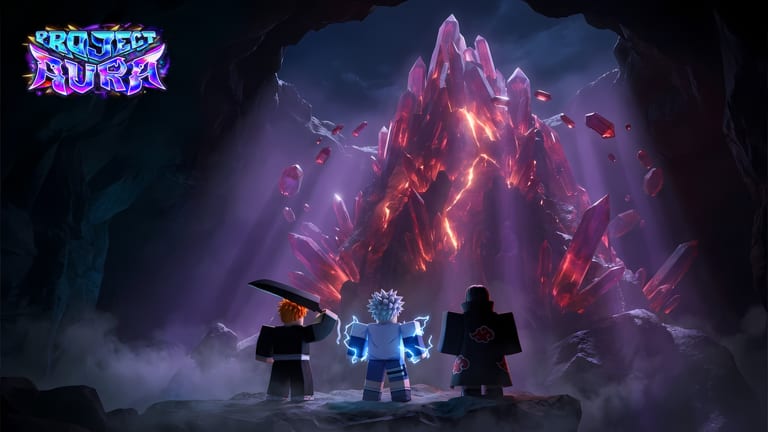
The Roblox experience page for Project: Aura asks you to do three free things that are easy to mash into one pile: redeem a code, join the Rival Ducks group, and Like plus Favorite. Only the first item is a typed code. This page isolates the group gift so you do not assume RELEASE already covered it.
Rival Ducks is the community that owns Project: Aura. Joining their Roblox group is the official way they hand a launch reward to people who actually attach to the developer, not just to a bookmark. The gift is claimed in the experience after you are a group member, not on the group wall and not inside the > redeem menu.
What the group gift is (and is not)
Is: a free in-game grant tied to membership in Rival Ducks. Re-enter Project: Aura after joining so the server can see the new membership flag.
Is not: code RELEASE. That string still has to be typed. Full table: Codes Hub.
Is not: the Like + Favorite “luck lock-in.” That is a third, optional gesture printed on the experience description. It does not replace Prism from the code and it does not replace the group grant.
Treat the three as a stack:
- Join Rival Ducks.
- Launch or rejoin Project: Aura.
- Redeem
RELEASEif you have not. - Like and Favorite if you want the luck note.
- Spend tickets with a roll plan.
How to join Rival Ducks
- Open the Rival Ducks community page while logged into the same Roblox account you play on.
- Join the group. You do not need to buy a paid role. Free membership is enough for the reward the experience page advertises.
- Return to Project: Aura and join a server. Max server size is 8, so you may wait a few seconds during a busy launch window.
- Give the client a moment to refresh membership. If the gift does not appear, leave to the Roblox home and join again once — not ten times.
- Check inventory for the extra grant, then continue the getting started checklist.
If you play on console, join the group on the Roblox website or mobile app with the same account, then return to the console client. Group membership is account-wide.
Why developers gate a reward on a group
RNG hybrids live or die on whether players see patch notes. Rival Ducks also runs an official Discord with thousands of members, daily minigames during the pre-launch period, and sneak peeks for unreleased characters. The Roblox group is the platform-native version of that funnel. A free reward is how they pay you to be findable when weekly content ships.
Joining does not auto-follow every shout if you muted groups. Pin the links hub and Discord page if you actually want codes at the same speed as people who live in announcements.
Troubleshooting a missing group gift
Joined on a different account. Roblox alt vs main is the number-one miss. The group page must show Join as the same user who is in the server.
Still in the old server. Membership flags often refresh on a new join, not on an already running session. Leave, then enter again.
Looked in the code box. The > menu will not list a group gift as a code. Close it. Check the grant popup, mail, or inventory instead.
Confused with Like/Favorite. Those buttons sit on the Roblox experience page, not in the group. They do not print Prism in the code UI.
Private inventory filter. Some HUD filters hide new currencies until you toggle “all.” Open the full bag before you assume the gift failed.
If the gift still missing after a clean rejoin, wait for the next update note rather than buying a third-party “group unlock script.” Those scripts are how accounts get caught. Read script safety if someone in chat is selling a join bypass.
How the group gift fits a first build
Whatever currency or ticket the group prints, spend it with the same discipline as RELEASE. Characters you roll still need runes, potions, and food before they are a build. Prism still wants a home in the upgrade tree. Merchants in the merchants guide are the sink for leftover launch currency after you have a role picked from the character tier list.
Do not sit in the lobby flexing the grant animation. The luck-relief system already covers dry streaks; you do not need to hoard the group gift “for pity.” Park one lucky roll for a targeted hunt, then go walk exploration so the session is more than a gacha menu.
Discord versus the Roblox group
You want both. Discord is where codes and VFX sneak peeks land. The Roblox group is where the in-experience gift is keyed. Neither replaces the other. Add Discord from the official links page, keep group membership for the grant, and use the code checklist so RELEASE and future weekend strings are ticked on the same account that joined Rival Ducks.
Rival Ducks also used the Discord for closed beta (June) and early access before the public launch. That history is why the group and Discord feel loud for a game this new: the community was already warm when the experience flipped to OUT NOW. You are not late to a ghost town; you are late to the beta, which is the correct time to claim every free grant that still works.
When a future update adds another group milestone (likes, favorites, or member-count gifts), this page will note it. Until then, the job is simple: join, rejoin the game, stack RELEASE, then play.
Frequently Asked Questions
Quick answers for Project: Aura players on Roblox.
Do I need to pay for a Rival Ducks role to get the gift?
No. Free group membership on the same account you play with is what the experience page asks for.
I joined the group but nothing appeared in Project: Aura.
Leave the server and join again so membership can refresh. The gift is not typed in the > code box. See troubleshooting above.
Is the group gift the same as code RELEASE?
No. Claim both. Codes go through how to redeem; the group is this page.
Does Like + Favorite count as a group reward?
No. That is a separate luck lock-in on the experience page. It does not replace Prism from RELEASE.
Should I join Discord or the Roblox group first?
Join the Roblox group for the in-game gift, then Discord for future codes. Both links sit on the links hub.