
Getting Started in Project: Aura
A launch-week onboarding path from the Roblox door to your first real composition.
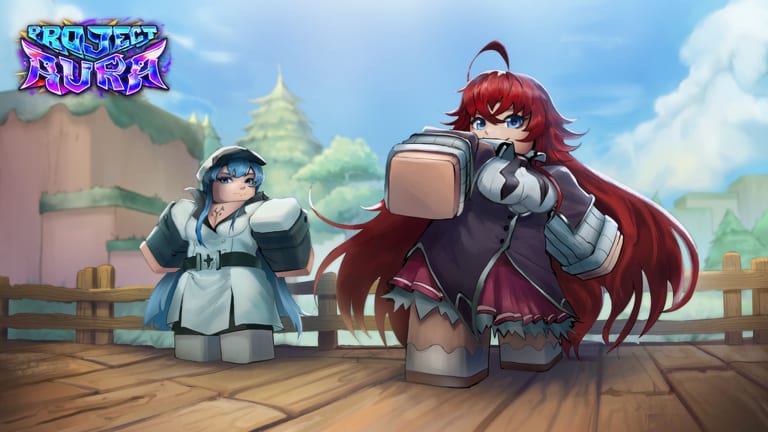
Project: Aura is live on Roblox as of 28 August 2026. You load into an RNG × simulation × incremental hybrid from Rival Ducks, not a clicker that only grows a number. The first hour should lock free rewards, teach the HUD, and put one character, one rune plan, and one Prism sink on the rails. This page is that hour.
If you want the short version: redeem RELEASE, join the Rival Ducks group, read controls so you can find the > and roll actions, then stop before you dump lucky tickets. Avoid the beginner mistakes. Spend Prism with a plan: how to get Prism. The rest of this guide is why that order exists.
What you are actually playing
The experience page sells four promises that all show up in the first session:
- Roll auras and chase drops that almost never land.
- Forty-two plus hand-crafted characters, each with custom animation, VFX, and sound — not a palette swap army.
- Build crafting from characters plus runes plus potions plus food.
- Nearly ten systems, including exploration, an upgrade tree, and merchants.
Cross-play is on from launch: PC, mobile, console. Servers hold 8 players. You will share a small shard with other launch-week collectors. That is enough people to distract you and not enough to be a raid. Play the systems, not the lobby flex.
Minute 0–10: free currency
- Launch from the official Project: Aura page, not a search-ad clone.
- Wait until the HUD is real. Streaming VFX can lag behind the floor.
- Open > and redeem
RELEASEusing how to redeem. You want Prism, 10 Aura Roll Tickets, and 5 Lucky Aura Rolls. - Confirm you are in the Rival Ducks group. If you joined on the website, rejoin the server once.
- Optionally Like and Favorite for the luck lock-in printed on the description. It is not a code.
Tick those on the code checklist so you never redo them on this account.
Minute 10–25: learn the HUD, do not become the HUD
Find, in this order:
- Roll / aura action
- Inventory / characters
- The > redeem control you already used
- A path off the plaza toward exploration or merchants
The controls page is the labeled version of this list for keyboard, touch, and controller. Do not open every menu. RNG games punish curiosity with extra shops. Your job is to know where roll, characters, and leave the plaza live.
Avatar type is R6. Your look will not match the painted key art (crystal caverns, village decks, huge projectile VFX). That is normal. The roster’s custom animations sit on those R6 rigs.
Minute 25–45: first rolls with a rule
Read how to roll auras before the first lucky ticket. The short rule:
- Standard tickets fill the character collection. Use them to see roles.
- Lucky rolls hunt a gap. Do not spend them until you can name the gap (“I have no flexible carry,” not “I want the shiny one”).
- Luck-relief already pays you during dry streaks. You do not need to “save pity” like a gacha with a 90-pull hard cap. Details: luck-relief.
After two or three characters are sitting in the bag, open build crafting instead of rolling the rest of the stack. A three-piece composition you understand beats a ten-piece museum.
Minute 45–60: pick a Prism sink
Prism from RELEASE disappears into impulse merchant buys. Pick one sink for the first login:
- A node on the upgrade tree that clearly boosts rolling, inventory, or movement.
- A merchant item that feeds potions or food for the character you actually equipped.
- Nothing. Holding Prism is legal. Weekly content arrives every week; a bad node is forever until a refund exists (none is advertised).
Then walk somewhere. Exploration is one of the named systems. If your entire session is a roll UI, you are playing half the hybrid.
What not to do on day one
- Do not paste a script from a similarly named Aura game. Scripts hub explains why launch-week pastes target the wrong title.
- Do not trust a 42-name “secret S-tier” screenshot with no date. Use the tier list as a role framework until the roster is datamined in public.
- Do not spend Robux because a stranger in an 8-person server flexed. The game is free to play. Weekly drops will reshuffle value.
- Do not skip Discord. Codes after
RELEASEwill land there first: Discord.
How this wiki expects you to continue
Second session: session planner with one job (tree, explore, or targeted lucky rolls). Third session: compare your roster to character tier list and runes and potions. When Rival Ducks ships the first big two-week patch, read roadmap before you rebuild from scratch.
You now have the same information the experience page shouts, plus an order that does not waste it. Play the hybrid, not only the roll button.
Frequently Asked Questions
Quick answers for Project: Aura players on Roblox.
Is Project: Aura free to play?
Yes. It is a Roblox experience. Codes and the Rival Ducks group gift are the launch-week free bundle. Robux shops may exist; they are optional.
What should I do first after spawning?
Redeem RELEASE, confirm the group gift, then learn roll versus inventory. Full order is this page plus codes.
How many players are in a server?
Maximum 8. You will see other auras. You do not need a raid group to progress.
Can I play on phone and console?
Yes. Cross-platform is advertised from launch. Controls covers the HUD differences.
Where do I go after this guide?
Next: how to roll and build crafting.